
RAID and project registers
Risks, assumptions, issues and dependencies, plus internal risks, actions, decisions, a change register and a punchlist for each project.
R-01A003I-01DEP-02
Orbelle keeps a delivery team’s registers together: risks, assumptions, issues and dependencies, with actions, decisions, changes and lessons linked to them. Dashboards update as the registers change, and every report exports to Word and Excel.
Desktop app for Mac and Windows. Hosted edition in development.
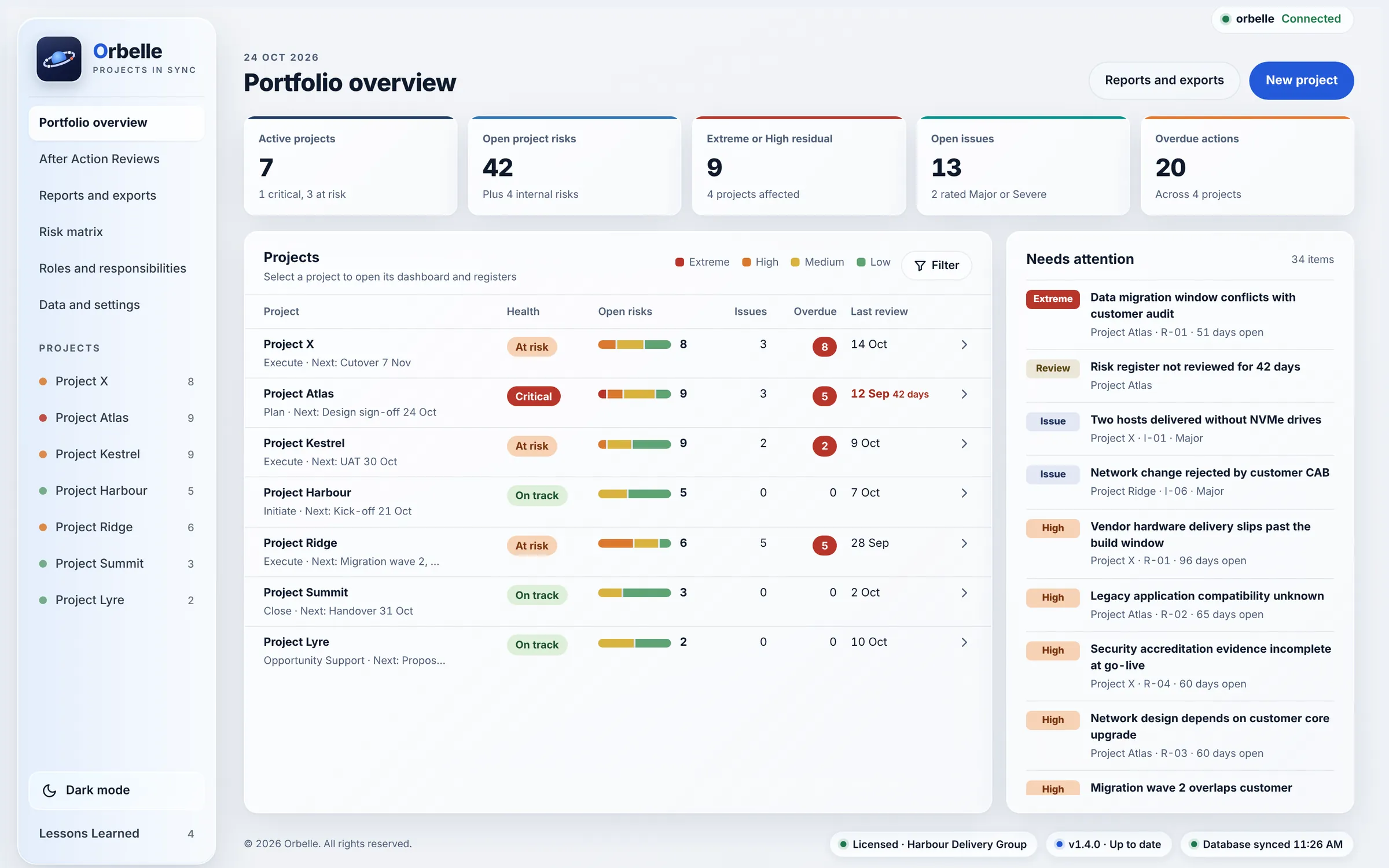
The portfolio overview shows every project on one screen. Needs attention lists the extreme and high risks, major issues, overdue actions and registers that are due for review.
Built from the registers project managers already keep in spreadsheets, with the links and reporting a spreadsheet can’t give you.
Risks, assumptions, issues and dependencies, plus internal risks, actions, decisions, a change register and a punchlist for each project.
Link an issue to the risk that caused it, or a decision to the actions it created. Links work both ways, and a risk can be raised from any record.
Ratings come from your organisation’s risk matrix. Select any chart bar, figure or heat map cell to open the risks behind it. Health explains each reason and what clears it.
Trace requirements to design decisions, assumptions and constraints, and see the gaps. Imports and exports the VCF RTM v3.2 workbook in its own format.
A fixed review format: headline figures, phase review, the four AAR questions, the issue log, changes and lessons learned, linked back to the project’s records.
Agendas, attendees and minutes, with the actions and decisions raised in each meeting. Meetings with minutes still due show up in Needs attention.
Client and internal packs for each project and the portfolio. A client pack leaves out internal risks. Optional protective marking in every header and footer.
Brings in Running and Planning projects, phases, tasks and team members from Forecast. Orbelle only reads, never writes back, and the API key is never saved.
Lessons from every project in one place, each linked to the project and record that produced it, so the next team can find them.
Every report is built from the registers in one step, for one project or the whole portfolio. Client packs leave out internal risks, and a protective marking, when set, goes in every header and footer.
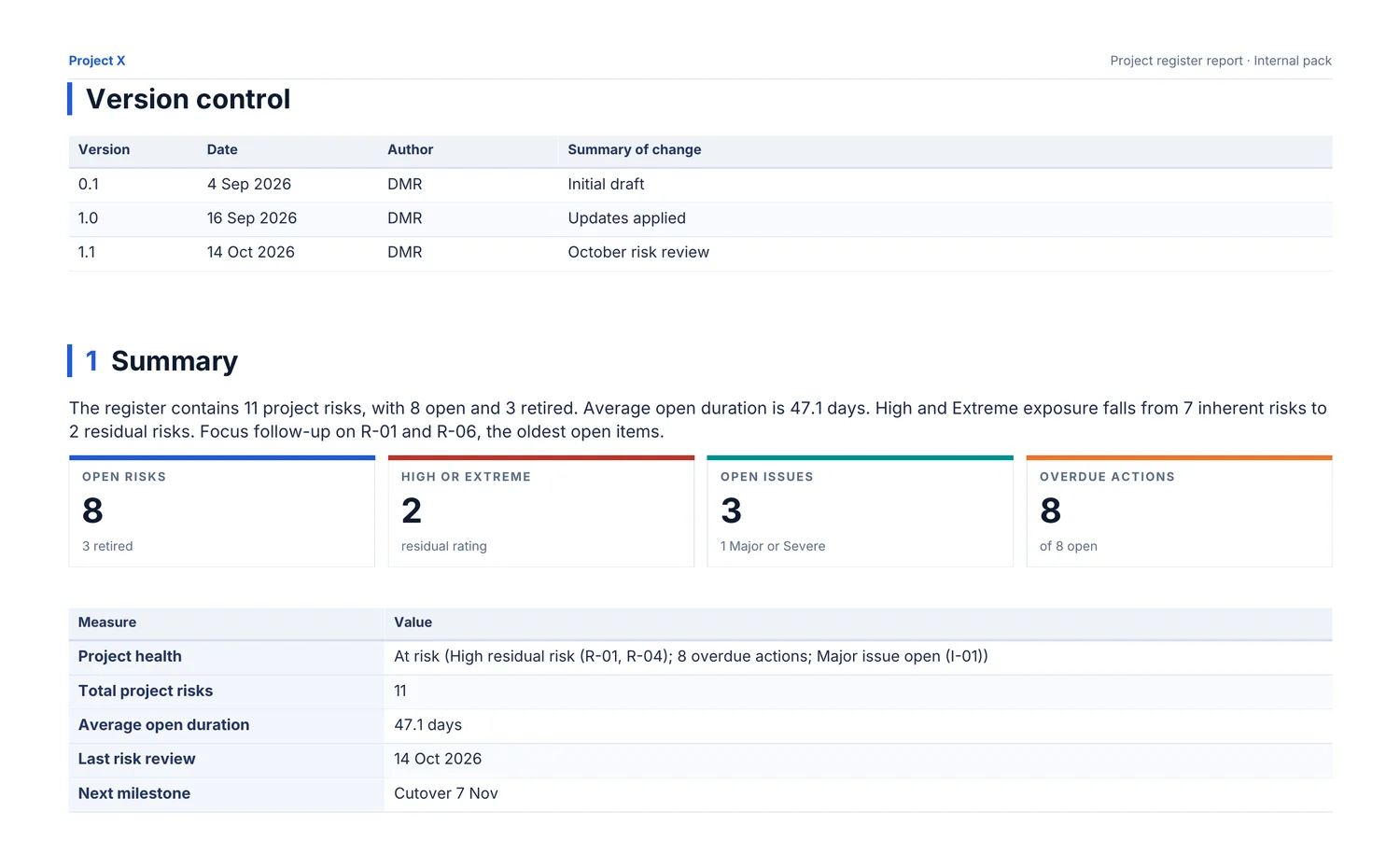
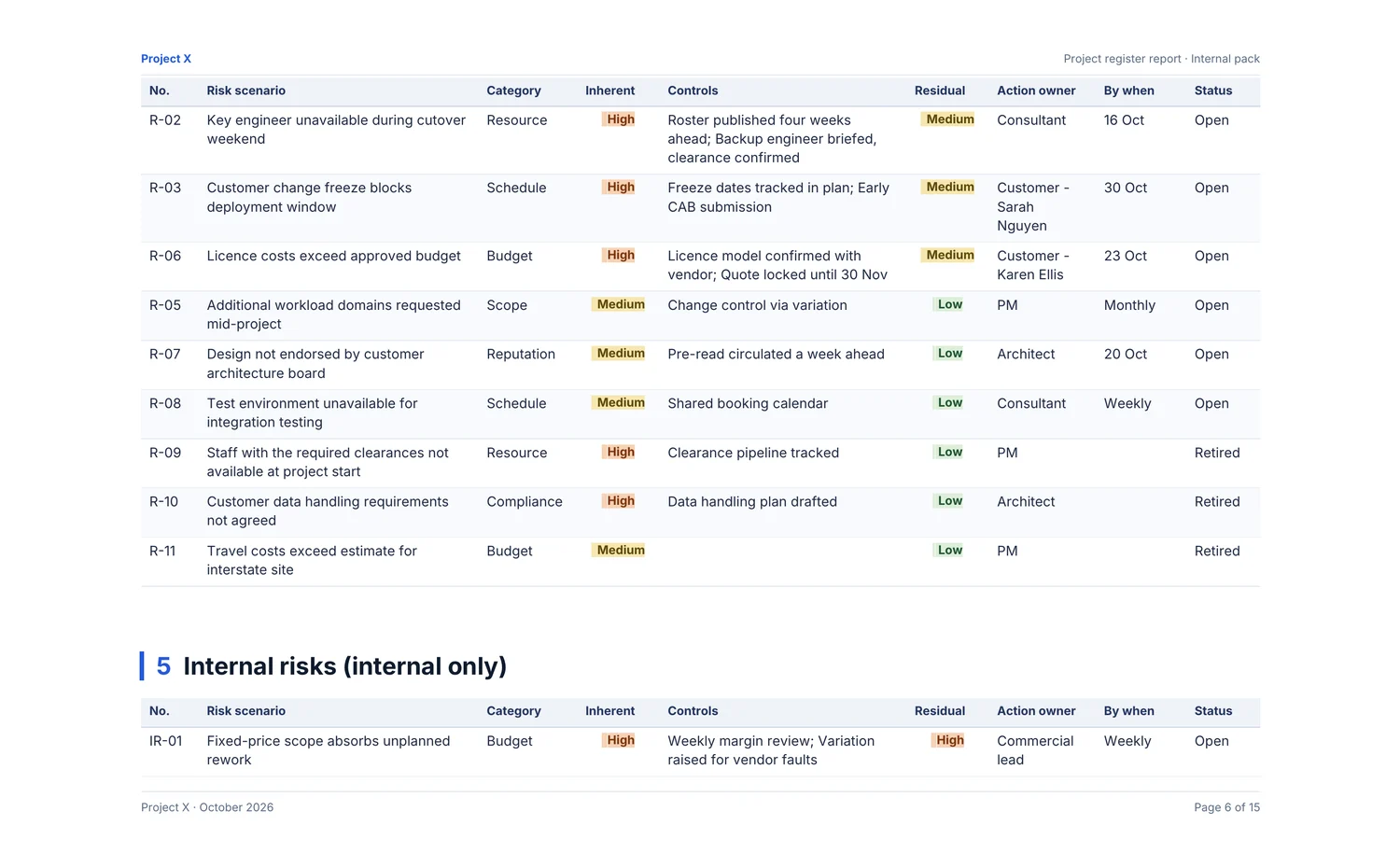
Summary, risk position, every register, meetings and contacts, with numbered sections and page numbers.
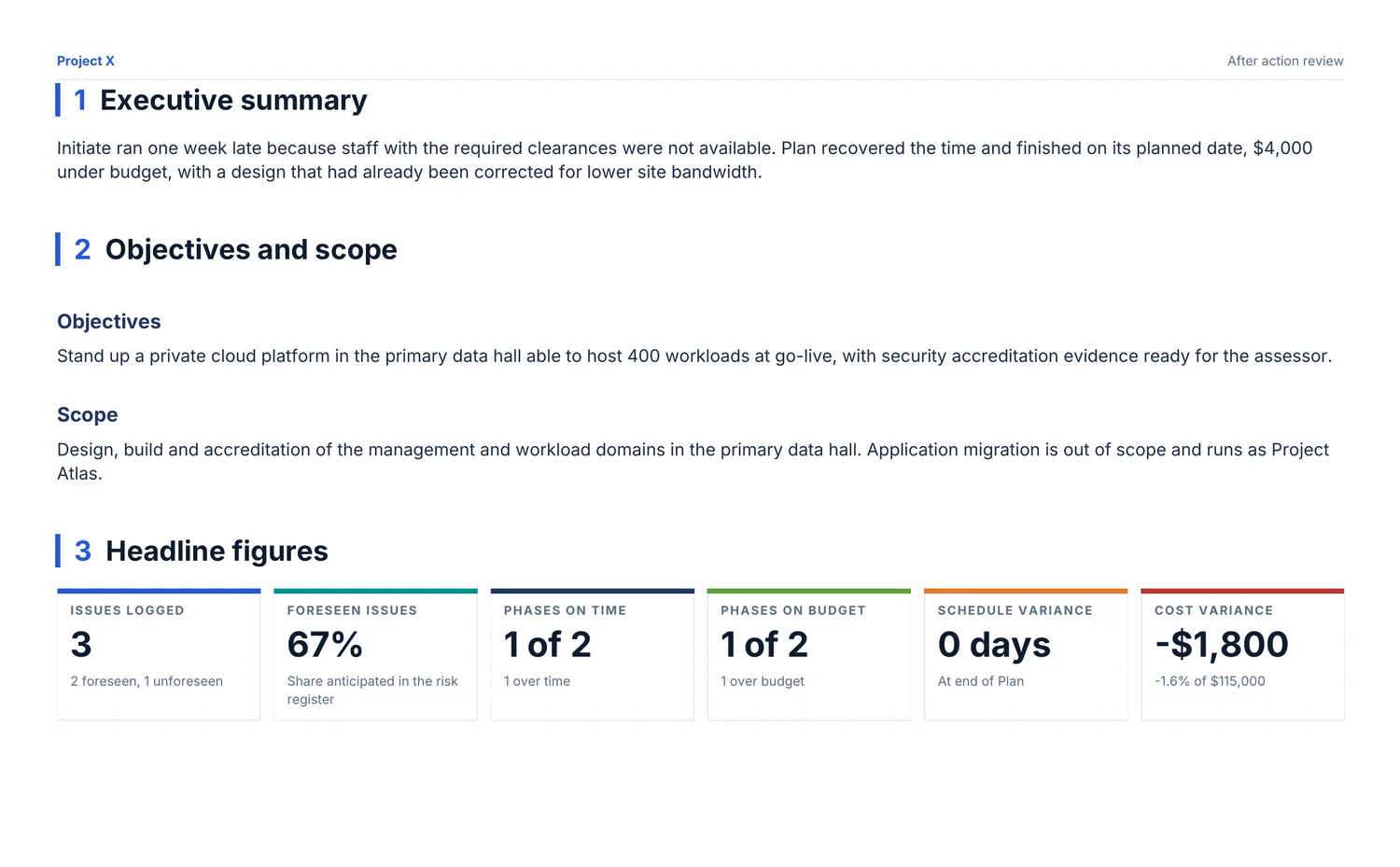
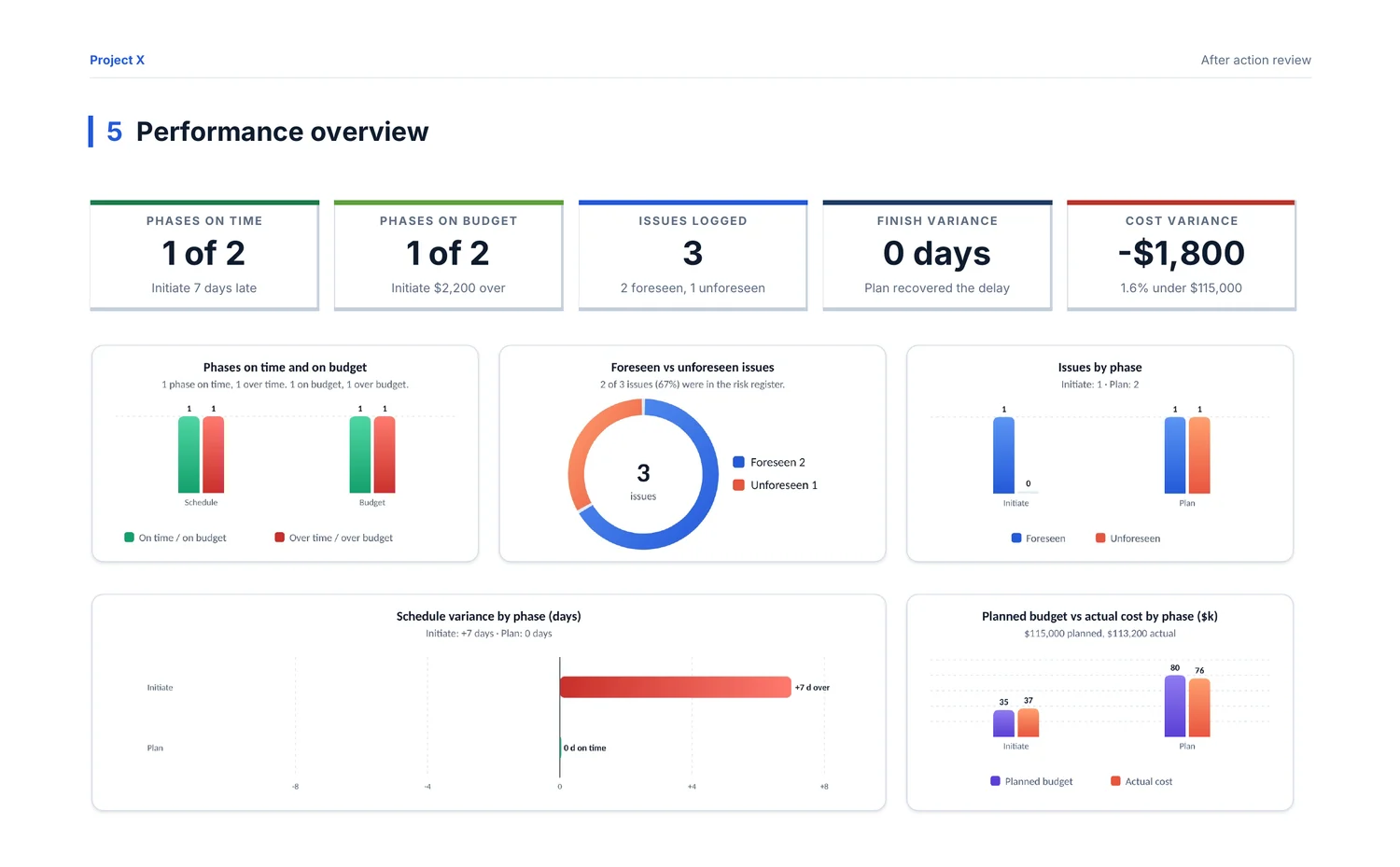
The review in the same fixed format as the app, with the charts, phase review, issue log and lessons learned.
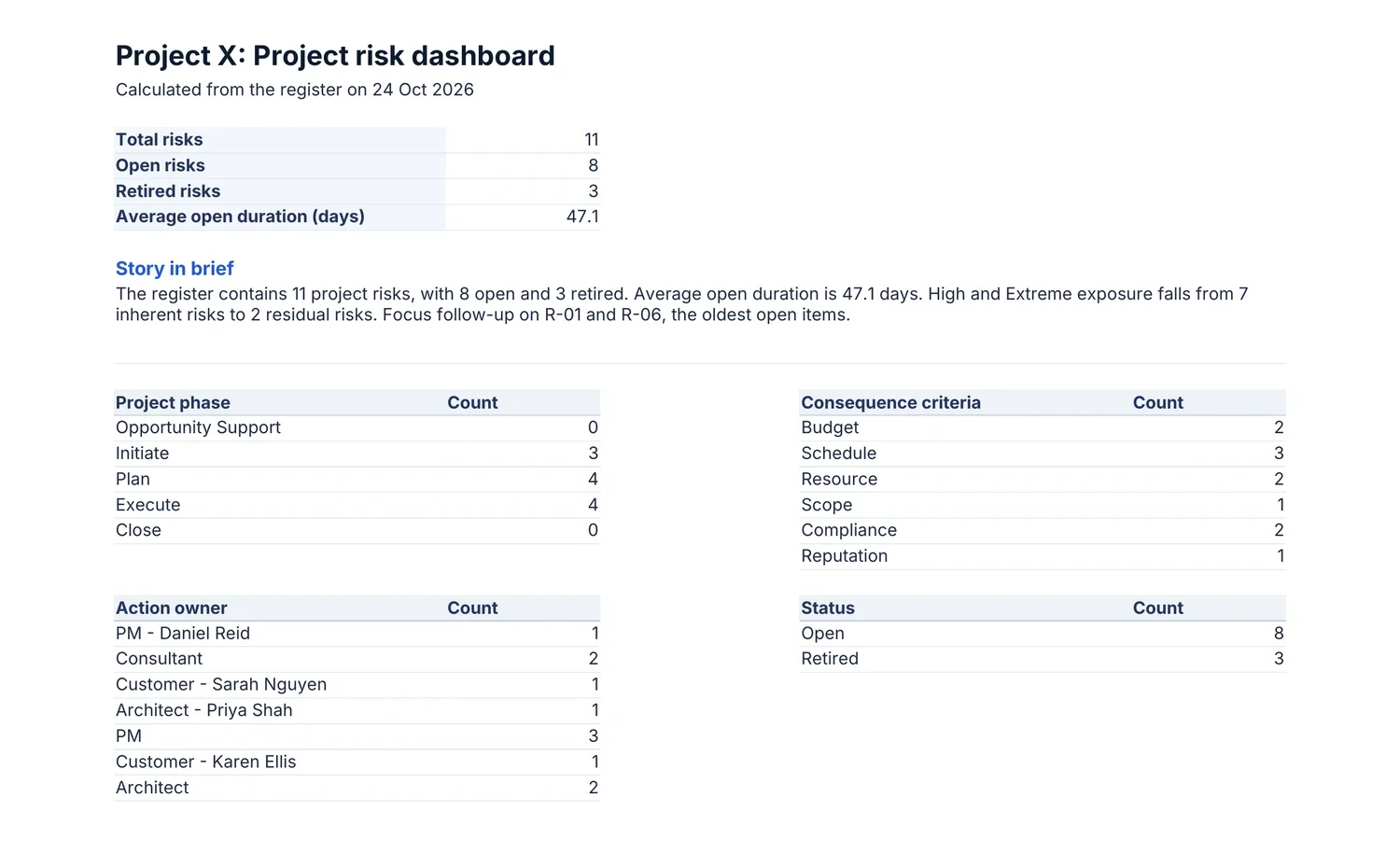
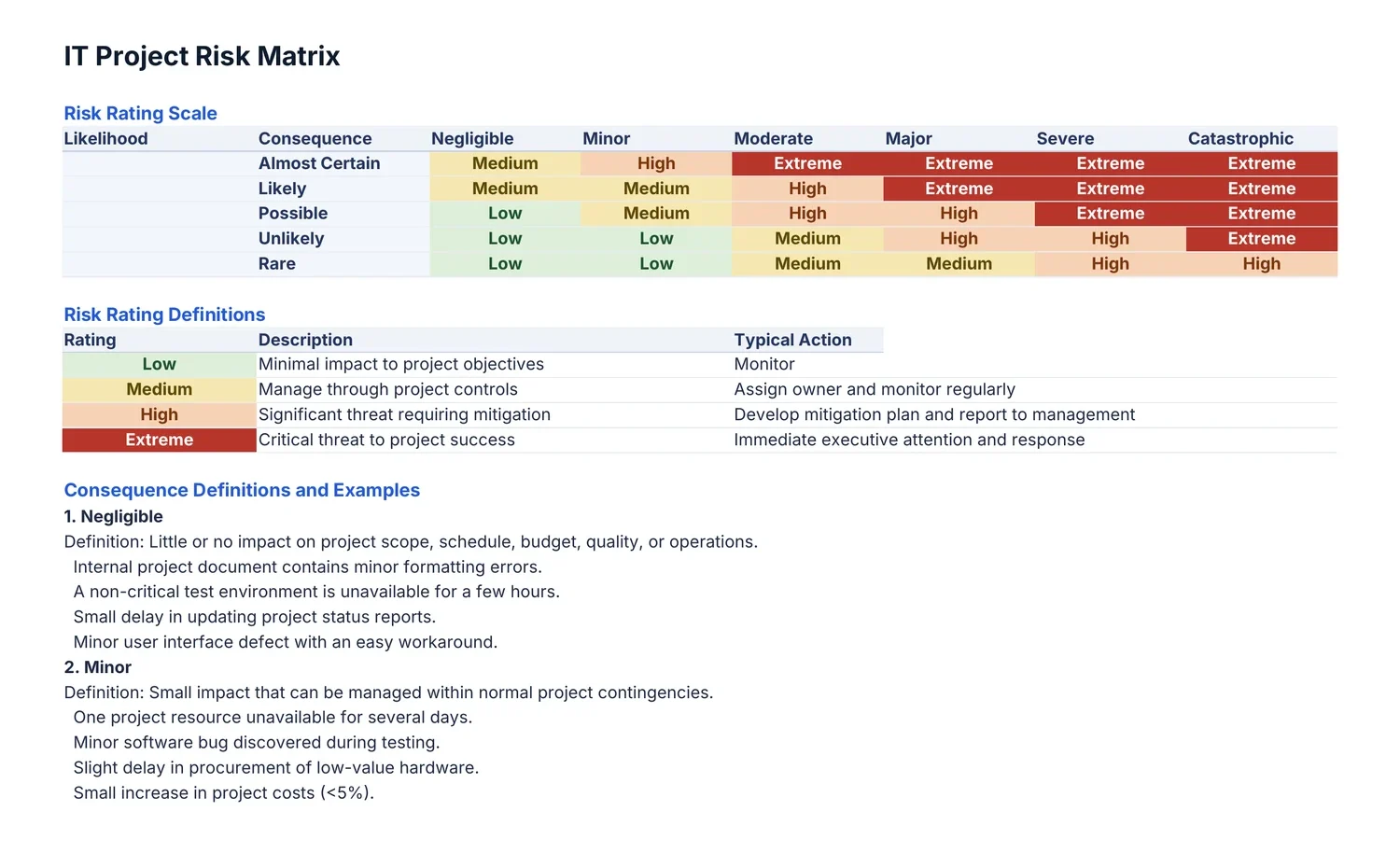
One sheet per register, with filters, frozen headers and rating colours, ready to work with in Excel.
Pages from reports exported from the sample data. Select a page to see it larger.
Connect Orbelle to a PostgreSQL database on your network, reached over your VPN. Each person signs in with their own database account, and every change is recorded with who made it.
Keep the register in SharePoint lists, signed in with your Microsoft work account. Every register field is its own column, so the data can be read and filtered in SharePoint.
If the database can’t be reached, work carries on and is saved locally. Changes are sent as soon as the connection is back, and edits two people made to the same record are combined field by field.




The connection shows at the top of every page. The footer shows the licence, the version and when the database last synced.




Off the VPN, the pill turns amber and the register keeps working locally. It reconnects and syncs by itself.
Your project data stays where you choose to keep it: locally, in your own database or in your SharePoint site.
The Forecast API key and the database password are entered each session and held in memory only. They are never written to disk, backups or exports.
The app can only reach Forecast, Microsoft sign-in, your own database and Orbelle’s signed updates. Forecast access is fixed to read only in the app’s native code. No analytics or tracking.
Lock the register after a set idle time, and unlock it with Touch ID or the Mac password, or Windows Hello.
With the shared database, every change records who made it, and earlier versions are kept, so your IT team can restore deleted records.
Add a marking such asOFFICIAL: SENSITIVEand it appears at the top of the app and in the header and footer of every Word and Excel export.
Projects and daily backups saved locally are encrypted with AES-256, using a key that only works on that Mac or for that Windows sign-in. Backup files can be protected with a password.
An installed app for Mac and Windows. Works on its own, or shares a register through your database or SharePoint.
The same register in the browser, signed in with your work account. Nothing to install.
A time-limited licence to try Orbelle with your own projects before you buy.
A key tied to one computer, for a project manager working on their own or a small team.
One key for everyone in your organisation, on as many computers as you need.
Pricing depends on the licence type, the number of people and the term. Register interest for a quote. When a licence ends, Orbelle becomes read-only: everything can still be viewed and exported.
Where you choose: locally on each computer, in your own PostgreSQL database reached over your VPN, or in SharePoint lists on your own Microsoft 365 site. Your project data is never sent to Orbelle.
No. Both are optional. Forecast is used read only to bring in projects, phases, tasks and team members. SharePoint is one of two ways to share a register; the other is your own database.
Yes. With a shared register, work carries on locally when the connection drops and is sent when it comes back. Changes two people made to the same record are combined field by field.
Orbelle can show a protective marking, such as OFFICIAL: Sensitive or PROTECTED, at the top of the app and in every Word and Excel export. Whether a system may hold information at a given classification is decided by your organisation’s security assessment. The security overview gives your IT team what they need to start one.
Current versions of macOS, on Apple silicon and Intel, and Windows 10 and 11. A hosted edition that runs in the browser is in development.
Orbelle checks for updates when it opens and every six hours, and installs only updates signed by Orbelle. Projects and settings are kept, and nobody needs to uninstall or reinstall.
Projects and their teams can be brought in from Forecast. Tell us how you keep your registers today when you register interest.
Orbelle becomes read-only. Everything stays visible and can still be exported to Word, Excel or a backup file, so nothing is ever locked away.
Leave your details for a demonstration, an evaluation licence, or news of the hosted edition.